coma
Open the folder and start coding.
A native code editor, written in Rust, that opens a folder and is ready: no Electron, no webview and no background servers.
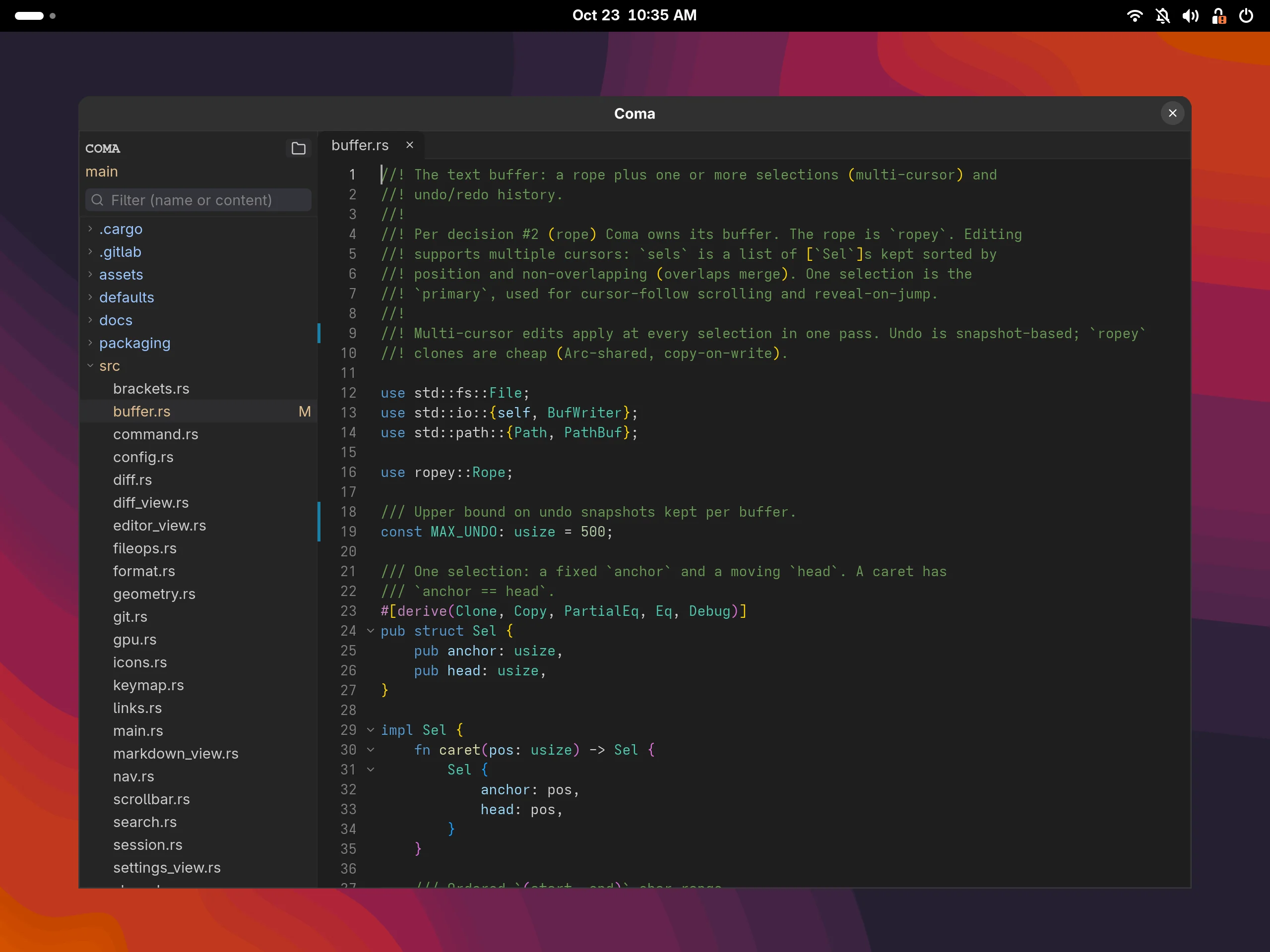
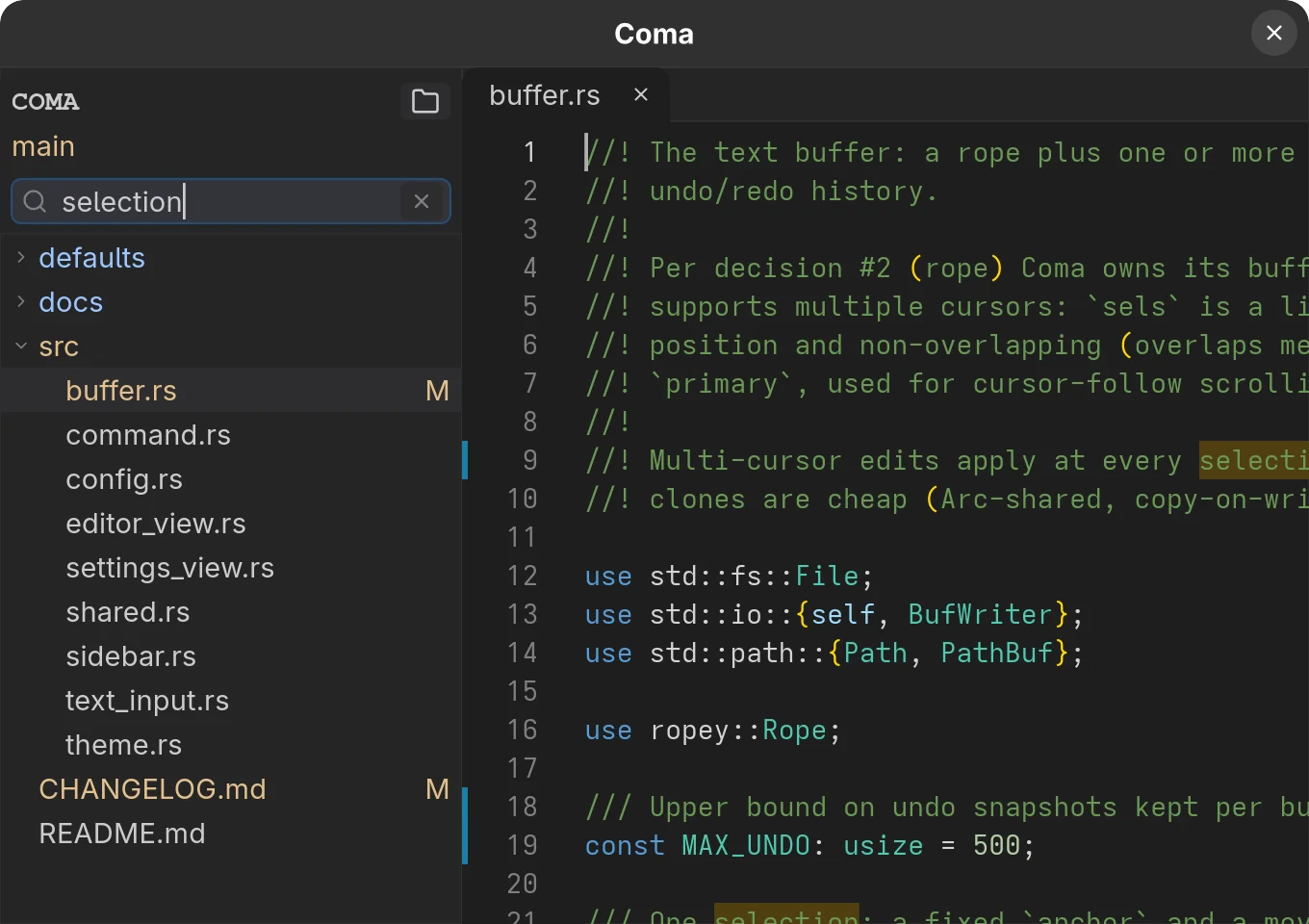
One search for the folder and the file
Type a term and the tree shows only the files that contain it, while the open file marks every match. There are options for case, whole word and regular expressions, and the replace bar is one shortcut away.
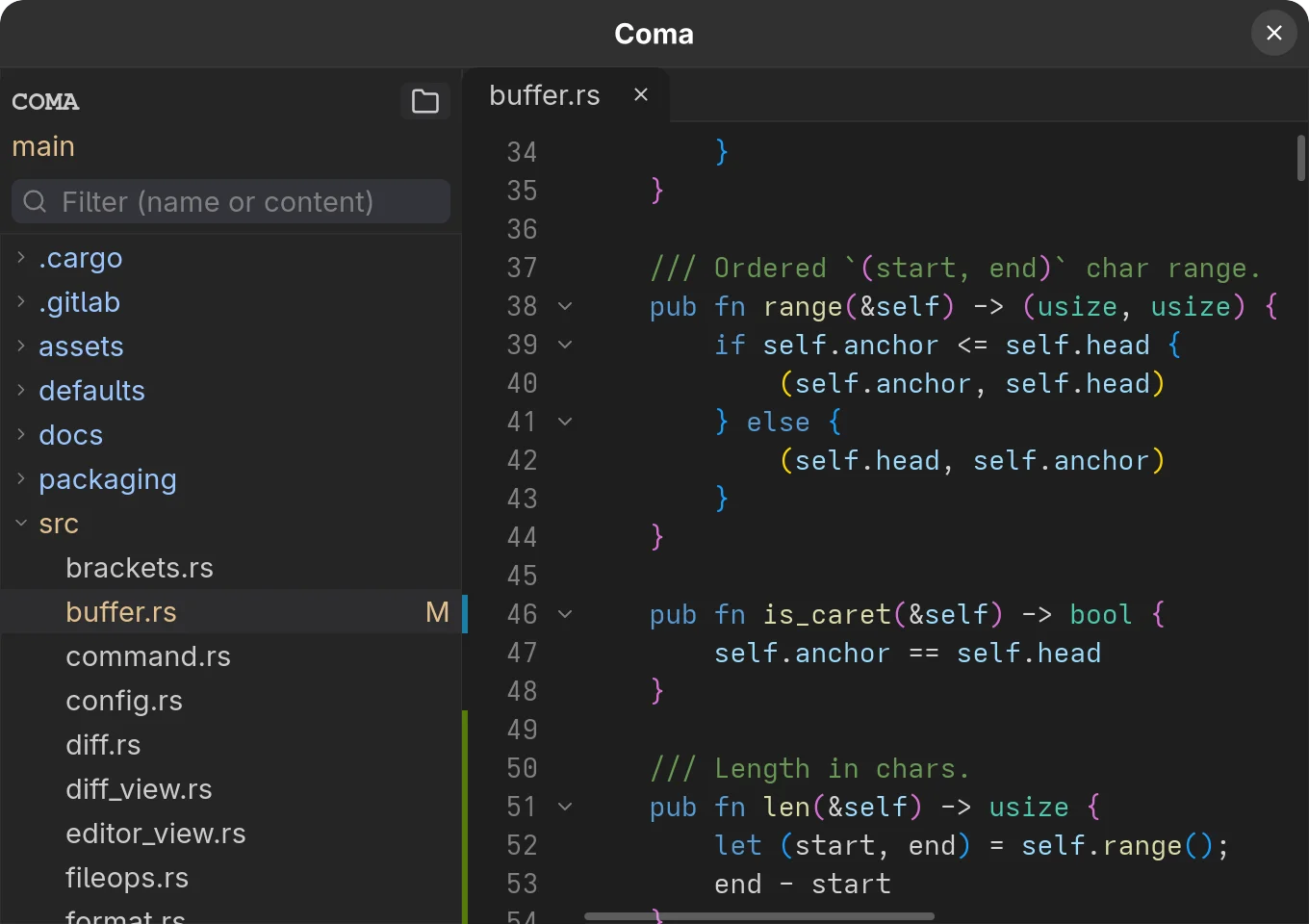
See what changed without leaving the editor
The gutter marks added, changed and deleted lines, and the tree shows each file's status and the current branch.
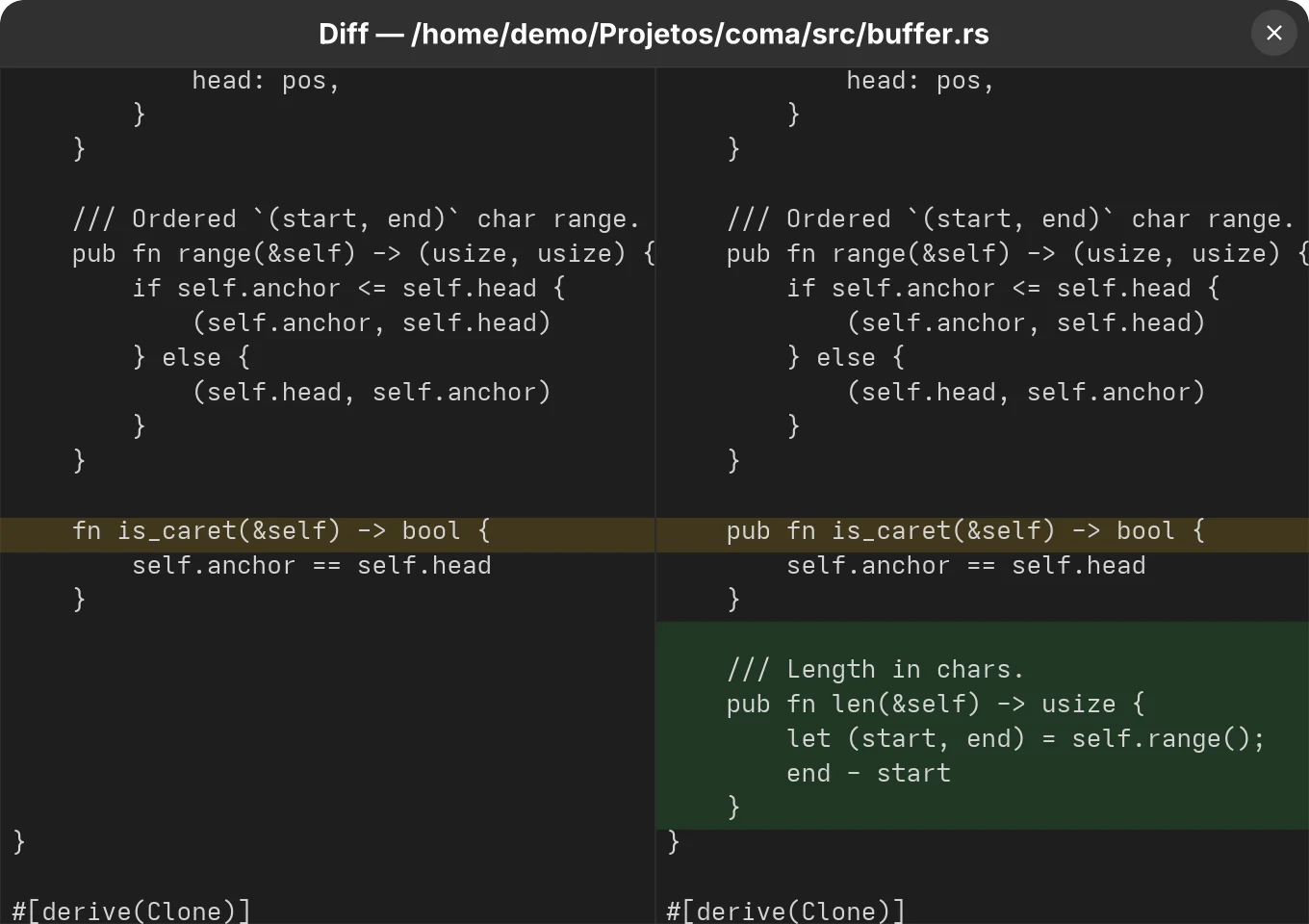
Compare with HEAD side by side
One shortcut opens the HEAD version next to yours, with the changed lines highlighted, before you commit.
More features
Editing
Tabs for multiple files, undo and redo, multiple cursors, auto-closing pairs, auto-indent, code folding and brackets coloured by depth.
Syntax highlighting
Tree-sitter for 19 languages, from Rust, Python and TypeScript to SQL, Markdown and ERB, with embedded Ruby and HTML.
External formatters
One command per language, such as rustfmt, prettier or black, run from a shortcut or on save.
Session
On reopening, the folder, files, active tab and window size and position come back.
About the project
coma is a code editor for people who want to open a folder and start programming without waiting for a whole environment to load. The interface is native, with no Electron or webview, and everything runs in a single process, with no helper servers in the background.
What it leaves out matters as much as what it does. There is no LSP, debugger, built-in terminal or plugin system, and no configuration file either: everything is set in a panel that applies changes immediately and saves them on its own. Keybindings are compiled into the binary.
Technologies
Rust, with a Floem user interface; tree-sitter for highlighting, a rope for text, libgit2 for git and redb to store the session and settings.
License: MIT
Install coma
Needs Rust (stable) and, on Linux, the X11 headers (libx11-dev on Debian and Ubuntu).
The .deb package
For Debian 12 or newer and Ubuntu 22.04 or newer.
curl -LO https://gitlab.com/alteronauta/coma/-/releases/v1.0.0/downloads/coma_1.0.0_amd64.deb
sudo apt install ./coma_1.0.0_amd64.deb
Binary for any amd64 Linux
curl -LO https://gitlab.com/alteronauta/coma/-/releases/v1.0.0/downloads/coma-v1.0.0-linux-amd64.tar.gz
sudo tar -xzf coma-v1.0.0-linux-amd64.tar.gz -C /usr/local --strip-components=1
From source
Installs to ~/.local, with the icon and the application-menu launcher.
git clone https://gitlab.com/alteronauta/coma.git && cd coma
./build-linux.sh
macOS has a script that builds the app. The details are in the README.