 federado
The fediverse, straight from the browser.
A client for people who are new to the fediverse: type your server, sign in with your account and federado opens the app made for that kind of server. Nothing to install, no server of its own.
In development
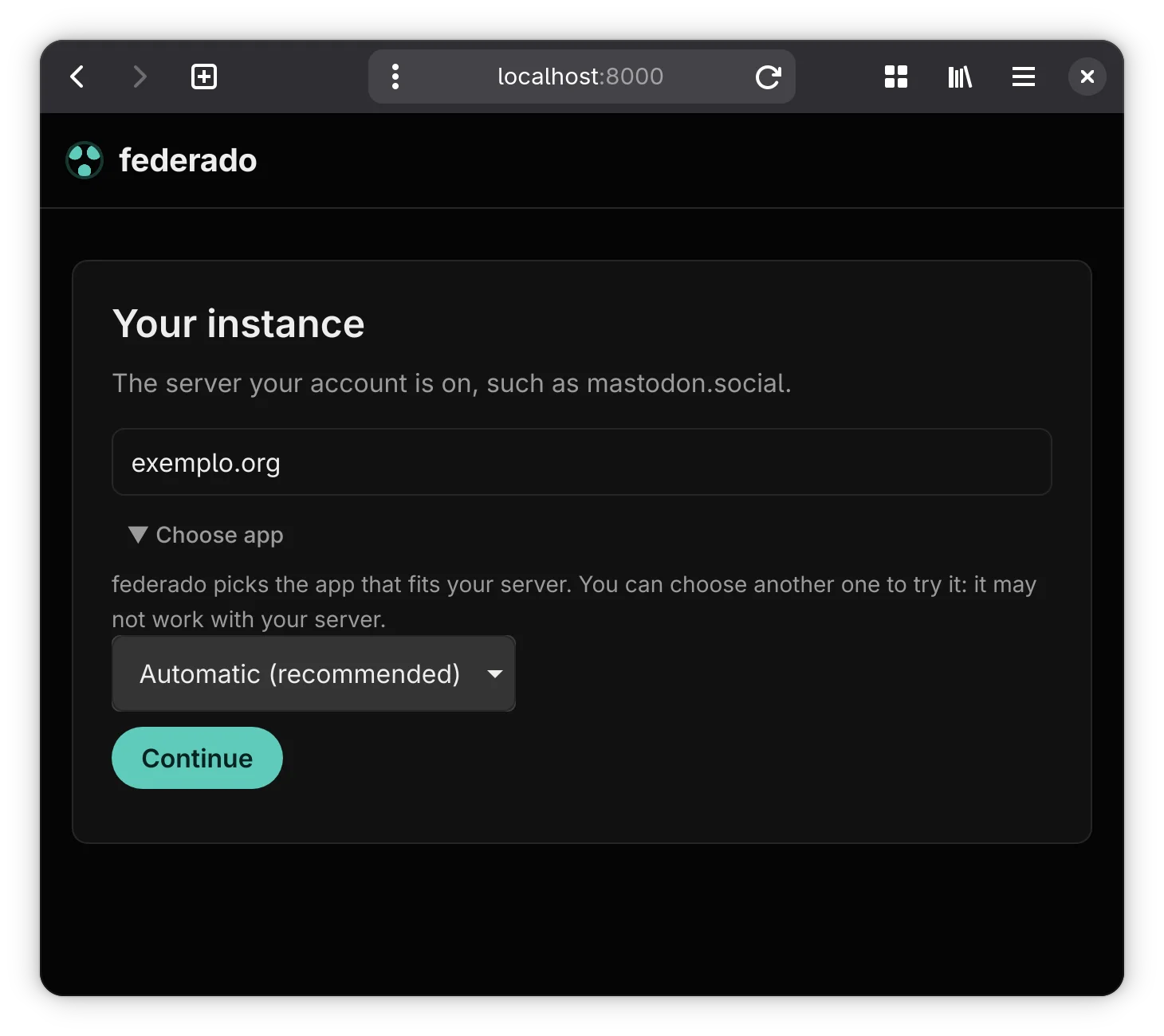
Start from your server
Type the address of the server your account is on. federado works out what kind of server it is and opens the right app for it; to try another one, pick it under Choose app.
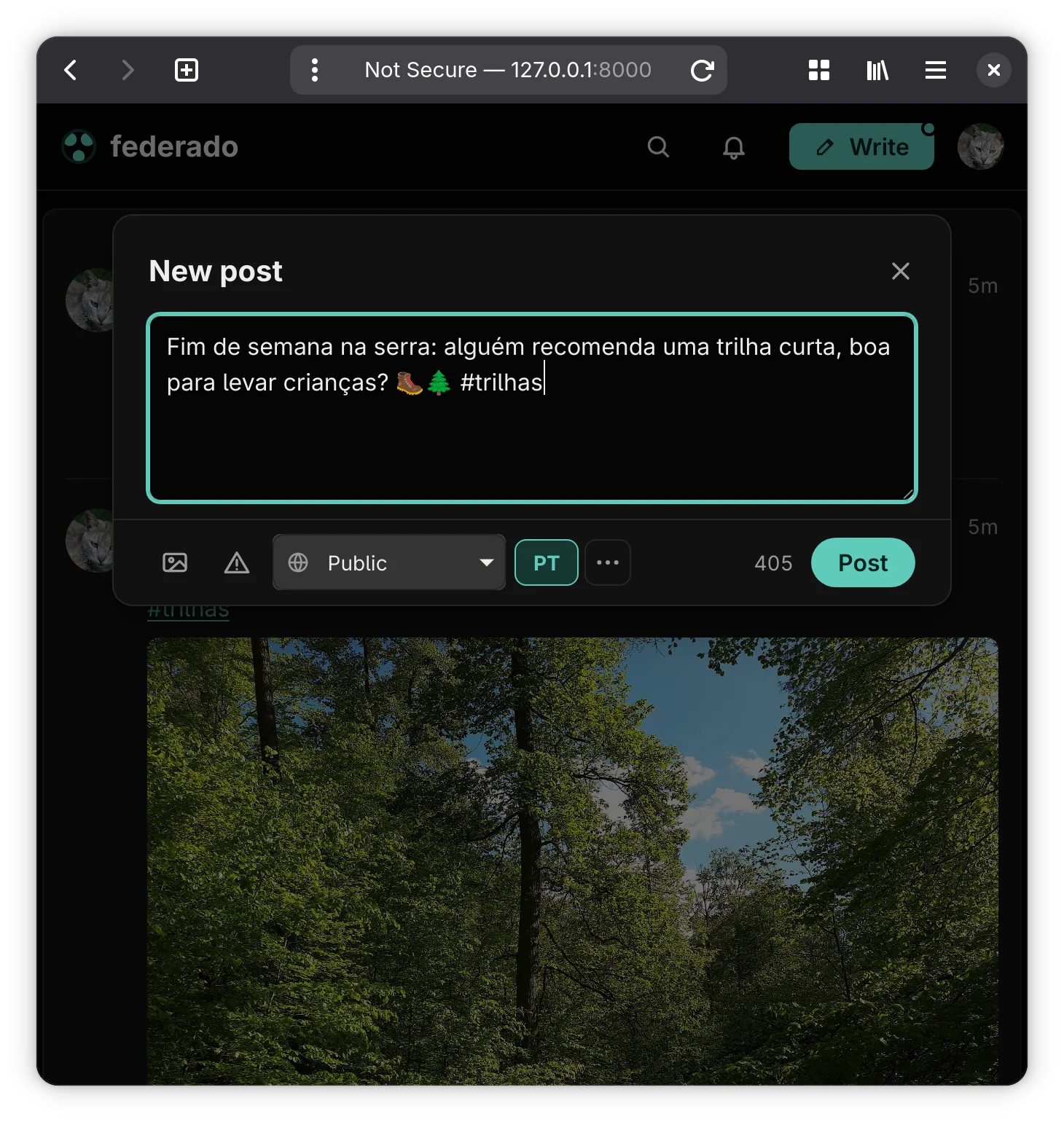
Write as you would on Mastodon
The composer counts characters against your server's limit and has visibility, content warnings, media and the post's language. Close it without posting and the draft is kept.
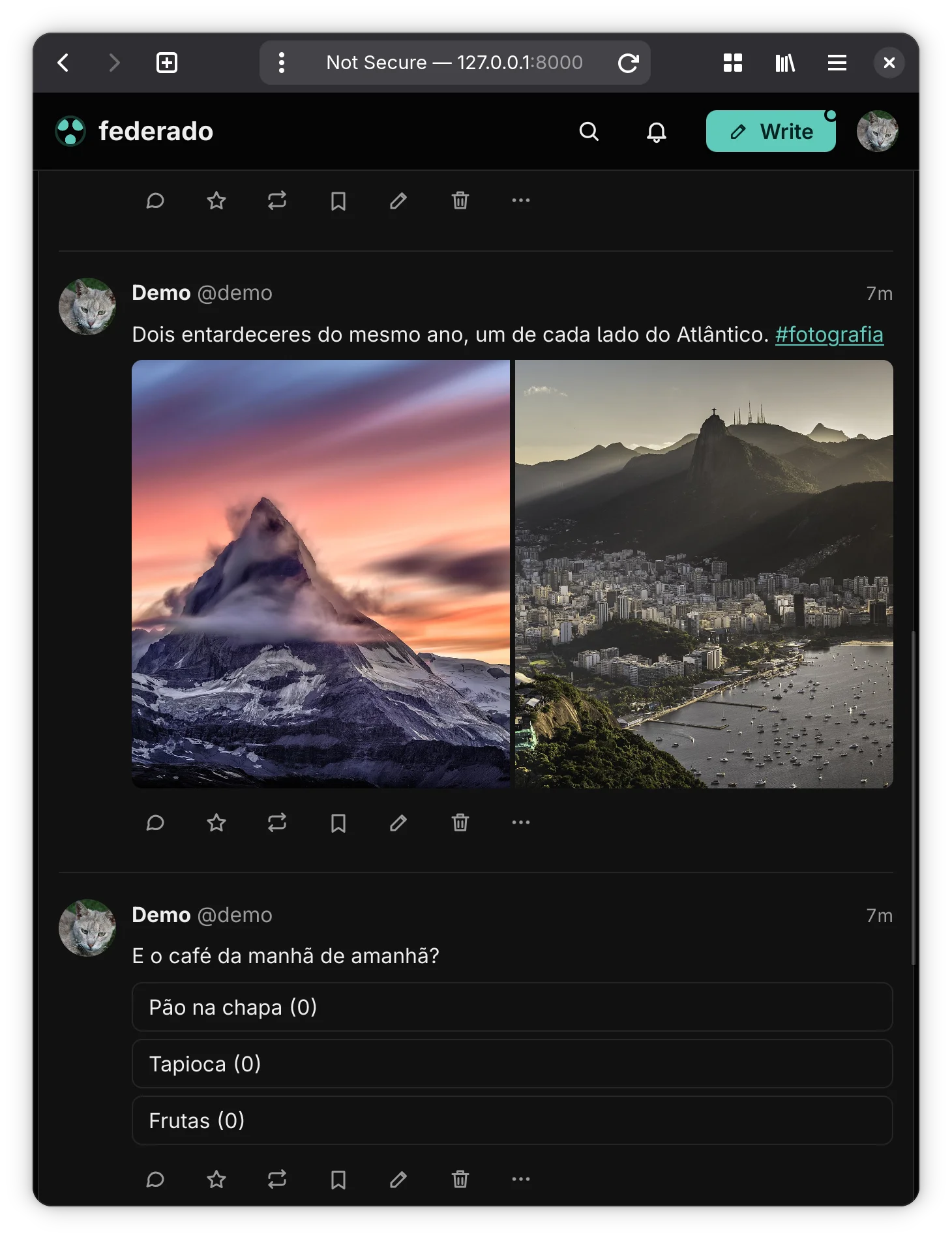
Photos, albums and polls
Posts show their images at the right size, albums side by side and polls ready to vote on. Sensitive media stay blurred until you choose to see them.
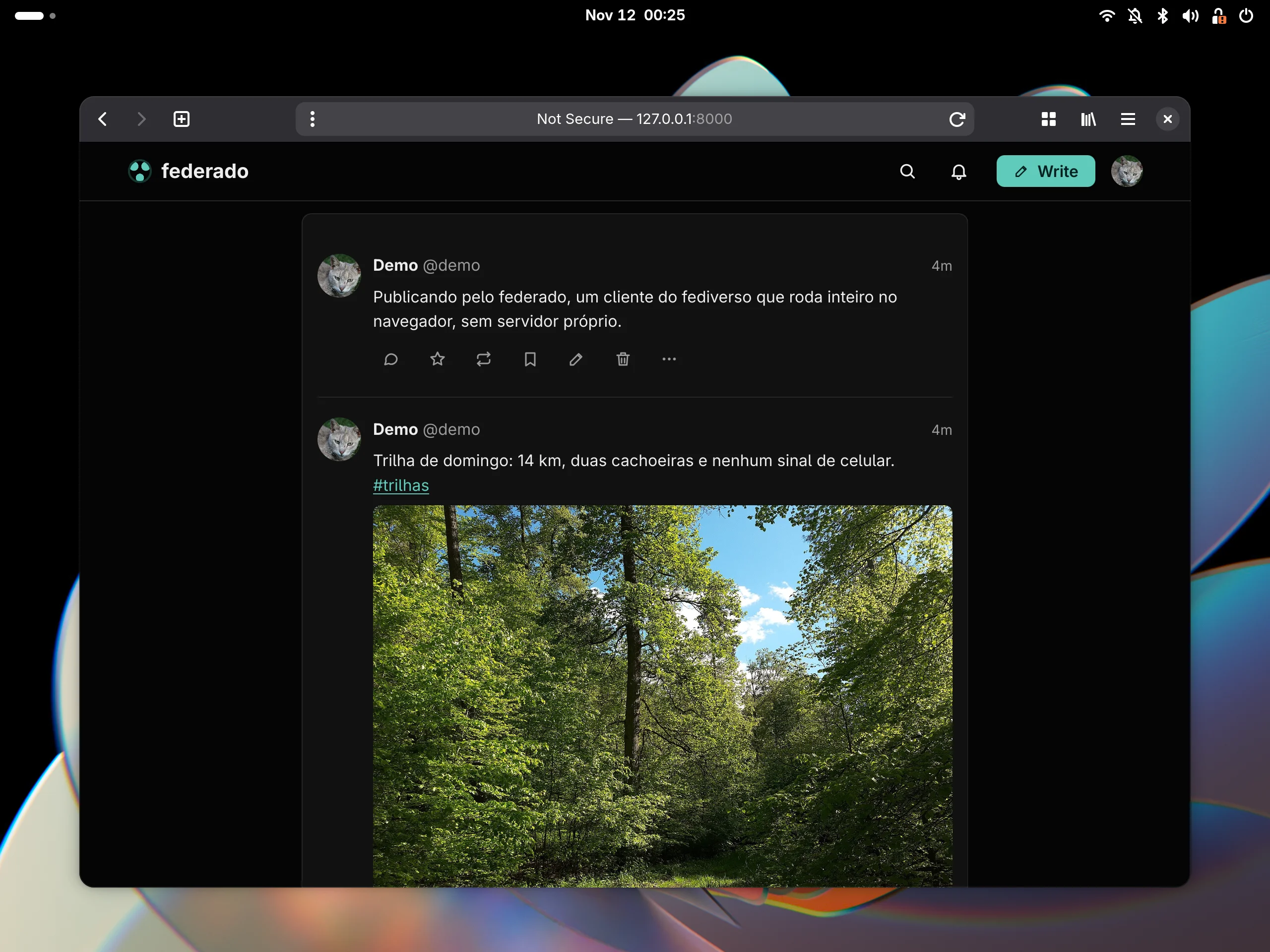
Several accounts, the app you prefer
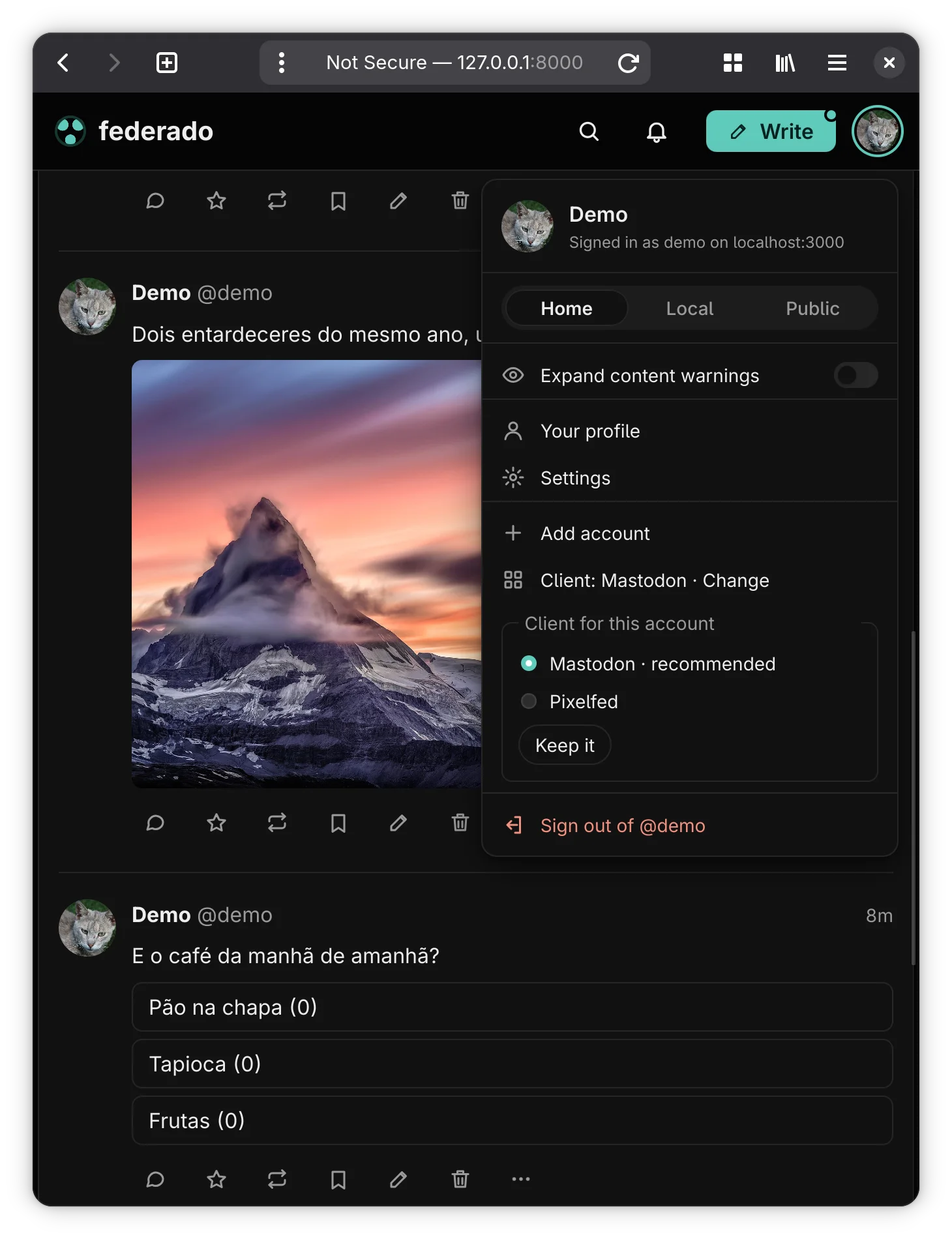
The account menu switches between the home, local and public timelines, adds other accounts and picks, for each one, which app to use.
Pixelfed: photos first
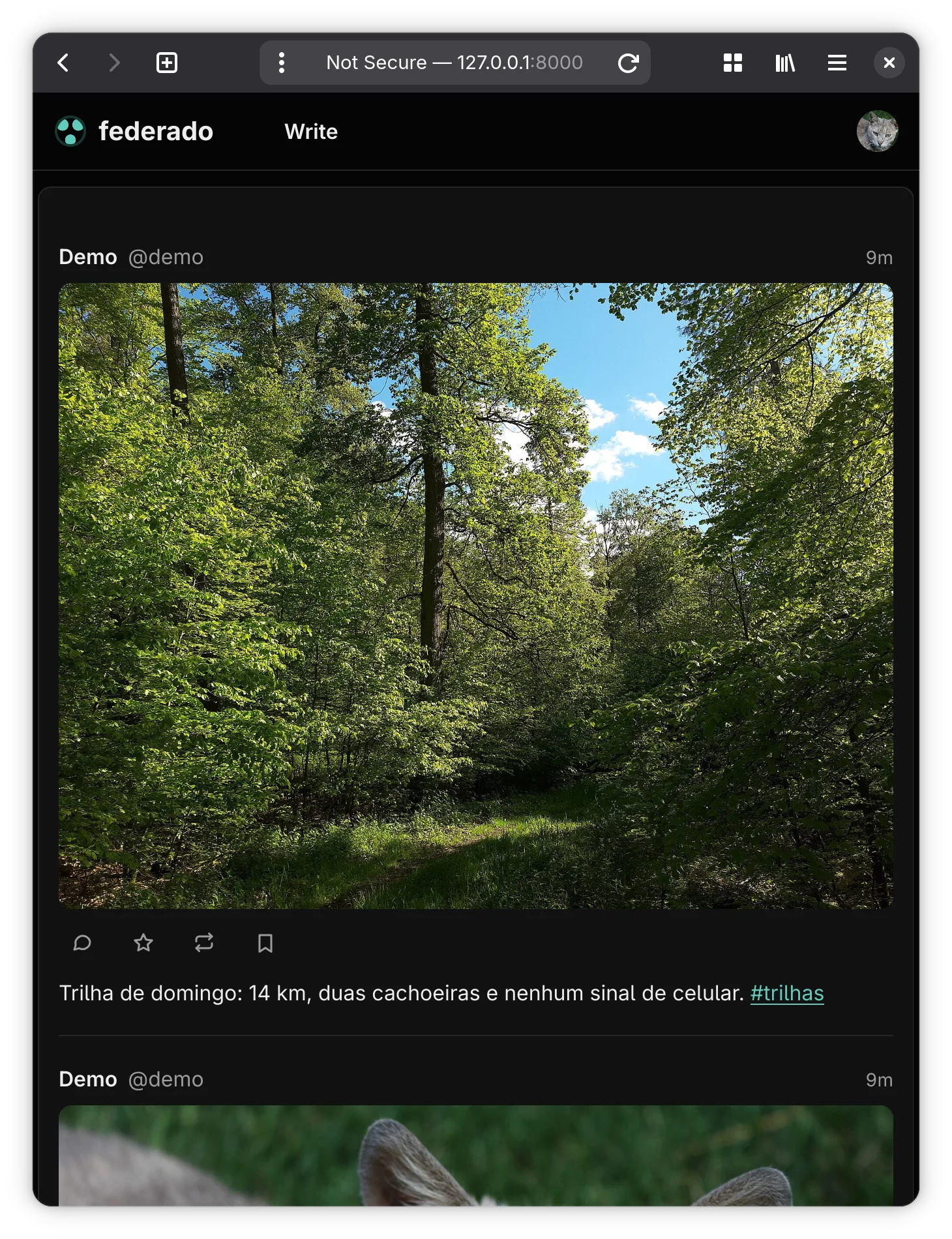
On Pixelfed servers, federado opens an app made for photos: one per row, at the column's width and never cropped, with the caption below, likes, shares and comments.
More features
Notifications and search
Mentions, favourites, boosts and new followers in one list, and search for accounts, hashtags and posts.
Moderation
Mute, block and report accounts, and use your server's filters to hide what you do not want to see, or to be warned about it.
Emoji and reactions
Your server's custom emoji in the composer, still until you hover them, and Akkoma's emoji reactions.
Editing and quotes
Edit what you have posted, media included, and see quoted posts inside the post that quotes them.
On the phone
The same site fits a phone's screen, with the bar and the dialogs made for touch.
About the project
federado is a fediverse client for people who are just starting. The first step, often the hardest, is only typing your account's server: federado works out the kind of server and loads the right app for it.
Each kind of server has its own app, because Mastodon, Pixelfed and Lemmy are not the same thing with a different look. Today there are two: the Mastodon one, which also serves servers with the same API, such as GoToSocial, Akkoma and archelon, and the Pixelfed one. The browser downloads only the app in use.
There is no federado server. The site is static, talks straight to your account's server and keeps the accounts in the browser itself.
Technologies
Rust with Leptos, compiled to WebAssembly. One wasm module for each kind of server and a static site with no back end: everything runs in the browser.
License: AGPL-3.0-or-later
Sample material shown in the screenshots:
- Various authors, Wikimedia Commons, CC0
Install federado
Building it needs Rust with the wasm32-unknown-unknown target.
Open it in the browser
The latest main is published on GitLab Pages: open federado-dcdae4.gitlab.io and sign in with your account.
https://federado-dcdae4.gitlab.ioFrom source
git clone https://gitlab.com/alteronauta/federado.git && cd federado
rustup target add wasm32-unknown-unknown
cargo xtask build    # builds the static site into dist/
cargo xtask serve    # or serves it at http://127.0.0.1:8000
The site built in dist/ is static and works on any file server, such as GitLab Pages. Accounts live in the browser's storage, kept apart per site address: the testing guide explains how to keep them from one session to the next.