gnome-vital-extension
The machine's load, always in sight.
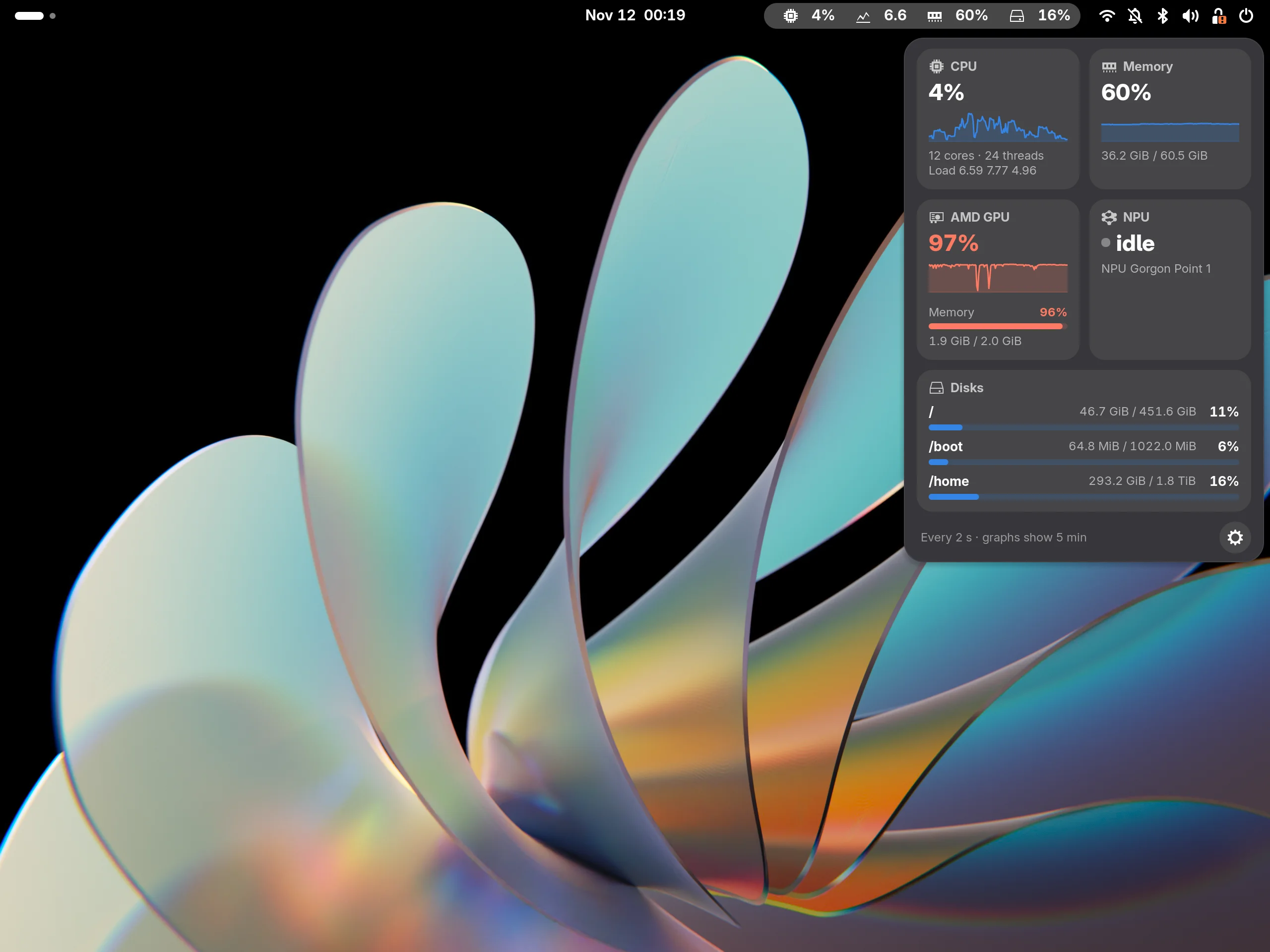
A GNOME Shell extension that shows what vit reads in the top bar: CPU, load, memory, GPU, NPU and disks. You choose what shows, in what order and how it looks.
In development
In the bar, your way
Choose which readings show and in what order, with icons or with labels you write yourself, such as HOME for the /home disk. A reading over the threshold turns red.

Five minutes of history in one click
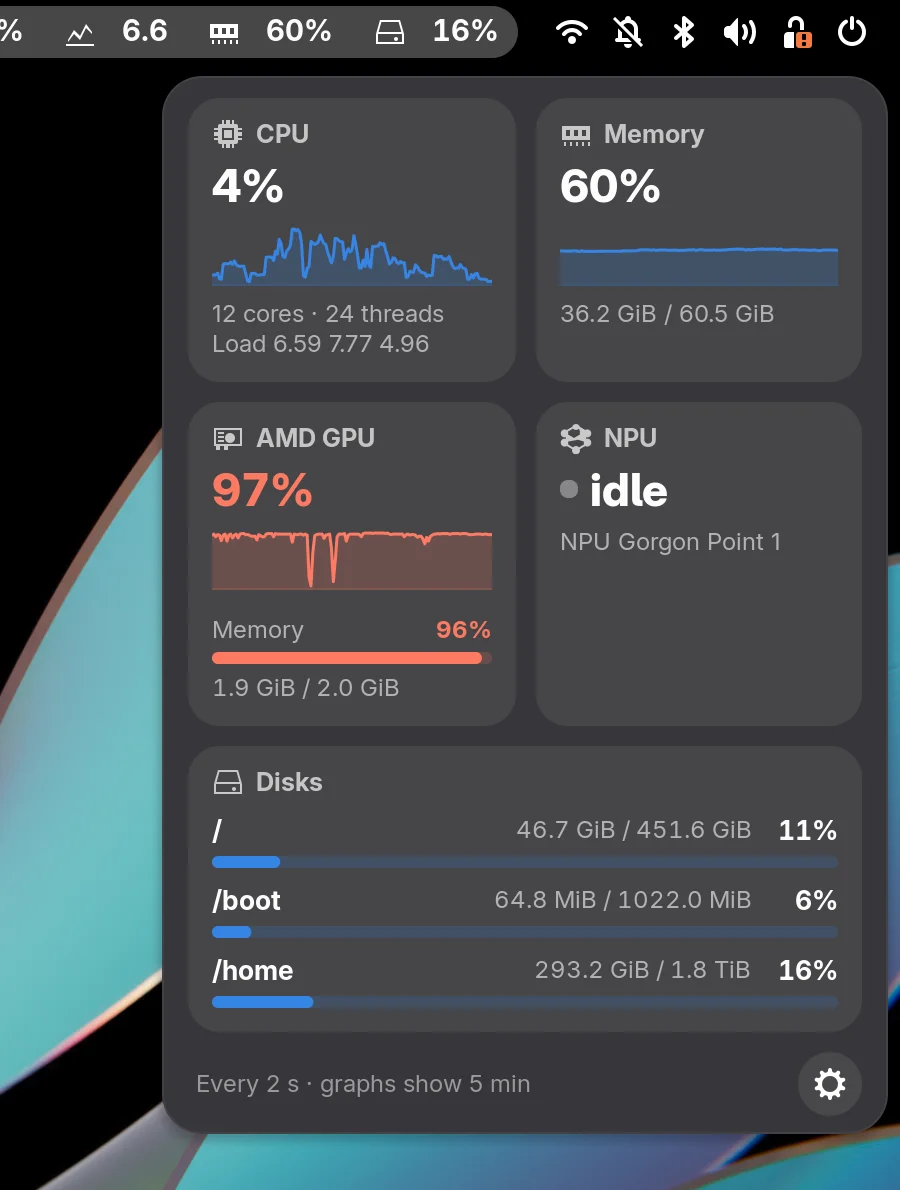
The menu opens a grid of cards in the style of GNOME's Quick Settings: the CPU's cores, threads and load averages, memory used, GPU and NPU, with a graph of the last five minutes, and a bar for each disk.
Everything in the preferences
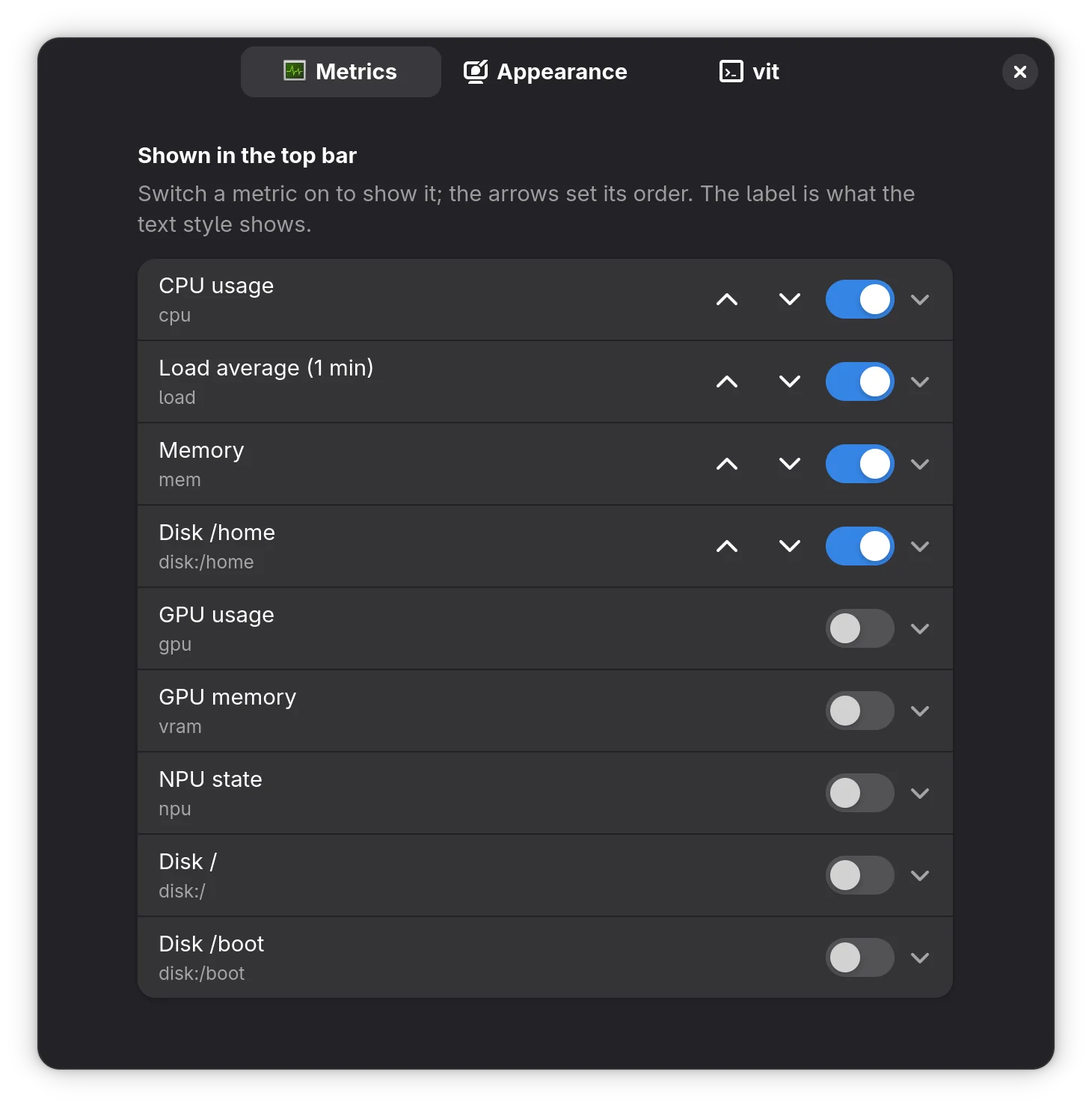
Switch each reading on or off, reorder them with the arrows and set labels, decimal places, threshold, place in the bar and the interval between readings. Changes apply at once.
More features
One vit
A single vit process runs while the extension is on. If it exits, the bar shows –, the menu says why and the extension tries again, waiting longer each time.
New readings without an update
vit's JSON only gains fields. A new object with a percentage shows up in the preferences for you to switch on, with no change to the extension.
Light and dark
The menu follows the Shell's light or dark style, and the readings sit where you want them in the bar: left, centre or right.
About the project
gnome-vital-extension is the top-bar take on vital: instead of opening a terminal to ask whether the machine is under load, the answer stays in the corner of the screen all the time.
It does not read the system itself. Everything comes from vit -m --json, which prints one reading per
interval, and the graphs live only in the extension's memory: they start empty at each login, because vit
keeps no history.
Technologies
GNOME Shell JavaScript (GJS), with no build step: the repository is the extension. The logic, with no dependency on the Shell, is tested with Node.
License: GPL-3.0-or-later
Install gnome-vital-extension
Needs GNOME Shell 49, 50 or 51 and vit 1.4 or later, on PATH or in ~/.cargo/bin.
From source
git clone https://gitlab.com/alteronauta/gnome-vital-extension.git && cd gnome-vital-extension
make install
# on Wayland, log out and back in; then:
gnome-extensions enable vital@alteronauta.gitlab.com
vit comes from vital. On Wayland, GNOME Shell only loads a new extension after you log out and back in. make uninstall removes it.